Custom business solutions
From dock to shelf to job site.
One Gimbal system covers receiving and storage, retail stock valued at cost, and field-service jobs through to invoices. It runs in our shared, secured environment, built around how your business runs.
What Gimbal runs
 Your own system, without running your own platform.
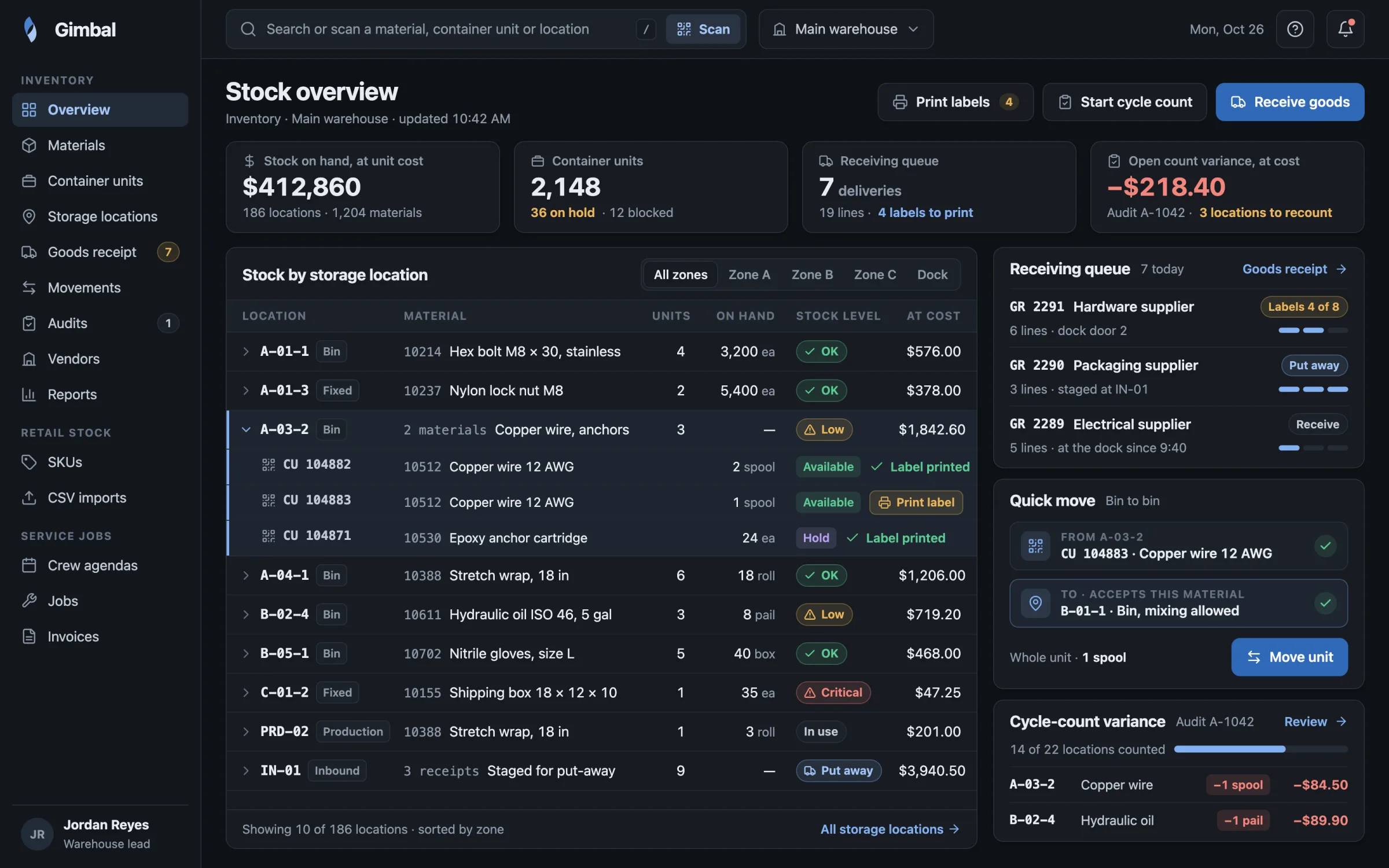
Gimbal is how we give one business its own custom solution when a dedicated platform for its whole industry does not make sense. The business gets the security of our environment and ecosystem, with full customizability and no separate vertical.
- Custom workflows, screens, reports and modules. Built around how this business runs, not around a standard industry template.
- Per-client settings. Each client sets its own options and rules inside the shared system.
- Our security and care. Access checks, monitoring, support and updates for the environment your solution runs on.
- Warehouse inventory
-
- Receive goods, create container units and print QR labels from the browser.
- Move stock bin to bin, or by quantity, between storage locations.
- Run cycle counts and audits that show the variance, valued at unit cost.
- Look up a product by its UPC.
- Retail stock
-
- Bring in SKU stock from the CSV exports of the retail system you use today.
- Keep a unit cost and a price for each SKU.
- See what stock on hand was worth on a given date, valued at cost.
- Service jobs
-
- Customers and client sites, crews and their agendas.
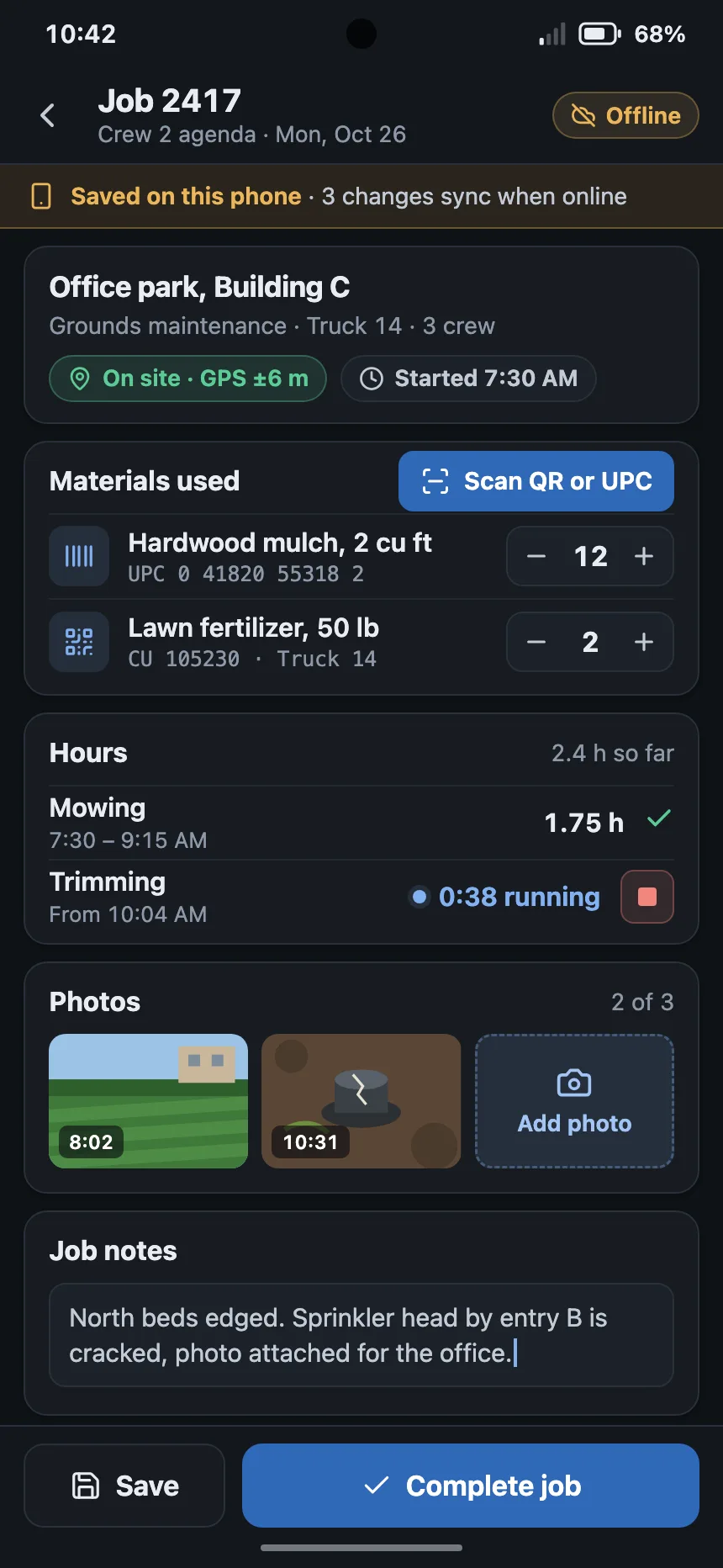
- Job hours, and up to three photos on each job.
- Link each job to its invoice.
- Mileage rates that take effect from the date you set.
- In the field
- The Android companion app scans barcodes and QR labels with the phone camera and reads the phone's GPS location, then hands both back to the Gimbal page you are working in.
How a Gimbal build starts
A faster start, from proven starting modules.
- Start from working modules. Inventory and warehouse, retail stock and service jobs are already built, so your system starts from parts that run today.
- Shape it around your business. We build your own workflows, screens and reports, and each client sets its own options and rules.
- We run it with you. Access checks, monitoring, support and updates for the environment your solution runs on. Your team gets a help centre with support tickets, release notes and videos.
- Changes stay on the record. Changes to records are logged for audit.
- Decisions it simplifies
-
- Where received stock is stored, and what has moved since it arrived.
- Whether counted stock matches the record, and what to correct.
- What stock on hand is worth, valued at cost.
- Whether a service job is ready to invoice, from the crew agenda record.
- Where AI helps
-
A custom decision model, trained on your stock and sales history, can propose a reorder quantity for a named person to approve.
Is Gimbal the right fit?
Choose Gimbal when one business needs its own solution.
Gimbal or a dedicated platform?
Questions people ask first
Can we bring our existing stock data?
Retail stock comes in from the CSV exports of the system you use today.
Does Gimbal work on phones?
Gimbal runs in desktop and mobile browsers. The Android companion app adds camera scanning for barcodes and QR labels, and GPS location.
Where does Gimbal run?
In our shared, secured environment, with access checks, monitoring, support and updates from our team.
Does Gimbal replace our point of sale?
No. Gimbal works from your retail system's exports, so your point of sale stays as it is.